Events
Everything a component does reaches your code as an event: input such as clicks and keys, a control's changes such as an edit or a close, and even drawing and sizing. There is one way to listen to all of them, onEvent. This page covers registering handlers, the two kinds of event, the event interfaces and what they carry, the order things run in, cancellation and bubbling, and how input becomes events. For comparing state before and after an event, see Event snapshots.
Registering a handler
component.onEvent(InputEvents.CLICK, event -> { ... });                         // priority 0
component.onEvent(InputEvents.CLICK, -100, event -> { ... });                   // runs before priority 0
Subscription drag = component.subscribe(InputEvents.DRAG, 0, event -> { ... }); // removable later
onEvent and subscribe come from EventTarget, which every component implements. Two things that are not components are event targets too. A RadioGroup reports SingleSelection.SELECTED when its selected button changes, and an Overlay reports Closable.CLOSED when it closes. Their events reach only the handlers registered on the group or the overlay.
Event types are typed keys. InputEvents.CLICK is an EventType<PointerButtonEvent>, so the handler receives a PointerButtonEvent without a cast. Input types are the constants in InputEvents, and the focus events are on Focusable. A control's events are constants on the attributes it has, such as TextEntry.MODIFIED for every field the user types into and Selection.SELECTED for every list, table, tree and other control that selects, or on the control itself for what only it does, such as Button.PRESS. Every component has Component.PAINT, Component.PAINTED and Component.MEASURED. Always use the constants, because types are compared by identity. The event type reference lists every type.
A handler is an EventHandler, a functional interface with one method, handle(event). A lambda or a method reference fits, and one handler kept in a variable can be registered on several components:
// A handler is an EventHandler of the event interface the type carries, so one can serve several fields
final EventHandler<ValueRequestEvent<TextInput<?>, String>> noTabs =
        event -> event.setValue(event.value().replace(" ", "    "));
name.onEvent(TextInput.EDIT, noTabs);
notes.onEvent(TextInput.EDIT, noTabs);
onEvent returns the component, so registration chains with the setters:
final Button saveButton = factory.button("Save")
        .setEnabled(false)
        .onEvent(Button.PRESSED, event -> save.run())
        .onEvent(InputEvents.POINTER_ENTER, event -> System.out.println("Hovering Save"));
Handlers run on the UI thread, as everything that touches components does. Code on another thread hands its work over first; see The UI thread.
Priority
On one component, handlers for a type run in ascending priority, and handlers with the same priority run in the order they were registered. A handler registered without a priority has priority 0, and the highest number runs last. Use a negative number to see an event before other handlers, for example to veto first, and a positive one to see what everyone before you decided, for example the final value of a request. A handler may register or remove handlers while it runs; the change applies from the next event.
Pre and Post
Events come in two kinds.
| Kind | What it says | Can cancel | Fires for | Examples |
|---|---|---|---|---|
| Pre | "About to do this" | Yes, and requests with a value can be rewritten with setValue |
Input, and the user's actions on a control | KEY, CLICK, Button.PRESS, TextInput.EDIT, Closable.CLOSE, Component.PAINT |
| Post | "This happened" | No | Every change, whether the user or code made it | Button.PRESSED, TextInput.EDITED, Closable.CLOSED, Component.PAINTED |
A control's Pre events are its requests and its Post events are its reports. To stop or change something, handle its request. To react to it, handle its report. Not every report has a request: moving the caret (TextEntry.CARET_MOVED, with a TextEntry.Caret of anchor and caret) and a change of a field's validation (Validatable.VALIDATED) are reports only, because there is nothing for a handler to refuse. They fire for the user and for code alike, CARET_MOVED after EDITED and MODIFIED when an edit moved the caret.
// A Pre event: canceling it means the button never presses
final Button delete = factory.button("Delete world")
        .onEvent(Button.PRESS, event -> {
            if (!confirmation.text().equals("DELETE")) {
                event.cancel();
            }
        })
        .onEvent(Button.PRESSED, event -> System.out.println("Deleted"));
// A Pre event with a value: set another one to change what the user did
volume.onEvent(Ranged.CHANGE, event -> event.setValue(Math.min(event.value(), cap[0])));
// A Post event: the text has already changed, by typing or by setText
name.onEvent(TextInput.EDITED, event -> preview.setText(event.value().toUpperCase()));
Changes made from code, through setters such as setText and methods such as select or close, fire no request: code does not need permission. Neither do changes a binding writes or that another person made through the server. They all still fire reports, so a label or a binding hears about every change, and each report says who caused it.
A rewritten value goes through the same checks as one set from code, so a slider still clamps a value a handler set out of range, and a text box still applies its length limit. Each event type's Javadoc says what it accepts and whether null is allowed.
A control fires a request or a report only when something on its path has a handler for that type. Otherwise it makes the change without creating an event, so the events you do not listen to cost nothing.
Who caused it
Every event has an origin, which says who caused it:
| Origin | Who | Put by |
|---|---|---|
Origin.User |
The person at this screen, through input. Its identity() is the platform's object for them, such as a user profile, or null where the platform names nobody. |
The host, for every input it dispatches |
Origin.Remote |
Another person, whose change reached this screen through a server or another channel | Your code, around the change it applies |
Origin.Binding |
A data binding, with the source it reads | The binding, while it writes |
Origin.CODE |
A plain call from code | Nobody: it is what an event reports when no frame put an origin |
event.origin() reads it. Requests fire only when the origin is the user, so a handler on a request can rely on that. Reports fire for every origin, which is where telling them apart pays off:
notify.onEvent(Toggle.TOGGLED, event -> {
    switch (event.origin()) {
        case Origin.User _ -> status.setText("You turned notifications " + (event.value() ? "on" : "off"));
        case Origin.Remote(final Object who) -> status.setText(who + " changed your notifications");
        case Origin.Binding _, Origin.Code _ -> { }     // the model or code set it; nothing to say
    }
});
The origin is one value of the event's cause. event.cause() gives the rest: a chain of the objects the change passed through, most recent first, and a context of values under CauseKeys. For input the host puts the device (DEVICE, MOUSE or KEYBOARD), the modifiers held, the screen, and for pointer presses and releases the button and the click count, so every event one click causes shares them. A control that acts on another pushes itself on the chain: when a radio group deselects a button, the button's TOGGLED still reports the user's click as its origin, and the group is on its chain.
options.onEvent(Toggle.TOGGLED, event -> {
    final boolean byGroup = event.cause().first(RadioGroup.class).isPresent();
    final boolean byKeyboard = event.cause().context(CauseKeys.DEVICE).orElse(null) == Device.KEYBOARD;
    System.out.println(event.target() + " toggled" + (byGroup ? " by its group" : "")
            + (byKeyboard ? " from the keyboard" : ""));
});
Strata makes the cause only when a handler calls cause(), and origin() reads the origin without making it, so neither costs anything when nobody asks.
Motion reports through the same events. Each step of an animation runs in a frame with the Animation pushed on the chain and Origin.CODE, so a slider's CHANGED that an animation moved names the animation among its causes, and requests stay quiet.
Applying a change for someone else
Code that applies a change on another person's behalf, such as a market update the server sent, opens a frame with that person as the origin. Every event fired inside it reports them, and the controls' requests stay quiet:
// The update arrives on a network thread, so the change is handed to the UI thread, and the frame is
// opened there, around the change
Strata.uiThread().execute(() -> {
    try (CauseFrame _ = factory.causes().pushFrame().put(CauseKeys.ORIGIN, new Origin.Remote(buyer))) {
        price.setText(newPrice);                // its EDITED report says the buyer did it
    }
});
A frame belongs to the UI thread. Work from another thread, such as a network handler, hands the change to the UI thread with Strata.uiThread().execute and opens the frame inside that task, as the example above does. Tasks run with no frame open, so what a task changes reports Origin.CODE unless it opens one. Close frames in a try-with-resources block, so they close however the block ends; closing a frame also closes any frame opened inside it that is still open. Objects you push go on the chain, and you can put values of your own under keys made with CauseKey.of.
On an engine with a cause stack of its own, the adapter can make Strata's stack the engine's: frames you open are then the engine's frames, objects you push are on the cause of the engine's own events fired inside them, and a Strata event's chain is the engine's current cause.
Event interfaces
Each event type names the interface its handlers receive. They all extend Event, and every Pre event is also Cancelable:
| Interface | Kind | Adds | Used by |
|---|---|---|---|
Event |
Both | target(), current(), origin(), cause(), stopPropagation(), isPropagationStopped() |
Every event |
Cancelable |
Pre | cancel(), isCancelled(), consume(), isHandled() |
Input, requests and Component.PAINT |
SnapshotEvent |
Pre | snapshot(), currentSnapshot() and snapshotOf(component); see Event snapshots |
Input and requests. Reports, paint and measure events have none. |
PointerEvent and its subtypes, KeyEvent, CharEvent, FocusEvent, ModifiersEvent |
Pre | What the user did; see Clicks and below. A pointer event also has pointerId() and pressure(). |
InputEvents, Focusable.FOCUS_GAINED, Focusable.FOCUS_LOST |
RequestEvent<C> |
Pre | control() |
Requests with no value, such as Button.PRESS and Closable.CLOSE |
ValueRequestEvent<C, V> |
Pre | control(), value(), setValue(value) |
Requests with a value, such as TextInput.EDIT and Toggle.TOGGLE |
ControlEvent<C> |
Post | control() |
Reports with no value, such as Button.PRESSED and Closable.CLOSED |
ValueEvent<C, V> |
Post | control(), value(), previous() |
Reports with a value, such as TextInput.EDITED and Toggle.TOGGLED |
PaintEvent |
Post | painter(), bounds() |
Component.PAINTED |
PaintEvent.Pre |
Pre | The same, and it can be canceled | Component.PAINT |
MeasureEvent |
Post | context(), availableWidth(), availableHeight(), width(), height(), setWidth, setHeight |
Component.MEASURED |
LifecycleEvent |
Post | Nothing beyond Event |
Component.ATTACHED, Component.DETACHED |
In a control's events, C is the type that declares the event. For a control's own event it is the control, as in RequestEvent<Button>. For an attribute's event it is the attribute, as in ValueEvent<Toggle<?>, Boolean>, because the same type serves check boxes, radio buttons and switches. control() returns the control that fired the event, typed as C. To reach the concrete control, test target() with instanceof.
// A report with a value: control() is typed as the attribute, value() and previous() as its value
settings.onEvent(Toggle.TOGGLED, event -> {
    final Toggle<?> toggle = event.control();
    System.out.println(toggle + " went from " + event.previous() + " to " + event.value());
    save.setEnabled(true);
});
value() of a report is the value after the change, and previous() the value before it. A report of an action rather than a change, such as TextBox.SUBMITTED or Menu.CHOSEN, has previous() equal to value().
What runs, in what order
For an input event, at every component the event reaches:
- The component's handlers, in priority order.
- The component's default behavior, such as a button pressing or a text box inserting a character, unless the event has been canceled.
A bubbling event then moves to the parent and repeats, unless something stopped it. A direct event stays at its target.
A control's request is different. The control fires it through its whole path first, so any handler on the way can refuse it, and acts afterwards with the final value, unless the request was canceled. If it acts, it then fires the matching report. Requests and reports have no default behavior at the components they pass; only the control that fired them acts.
How far events travel
An input event climbs from its target to the top of the tree it is in: the screen's content, or the content of the overlay it happened in. An overlay's content has no parent, so input inside a popup never reaches the screen below it.
A control's requests and reports climb the same way, except that they stop at the first composite above the control. A composite is a control built from other controls, such as a table, whose inner list and rows are its private parts. The composite's handlers still run, and the event goes no further, so a handler on your form for Selection.SELECTED hears the table and never the list inside it.
Content that a composite holds for you does not count as a private part. Events from a component in a table cell, an expander's content, a split pane's panels or a navigation view's page pass the composite and every composite above it, so a handler around the table hears a button in one of its cells. A CustomComposite you write behaves the same way: events from parts added with addChild stop at it, and events from content added with addContent pass through. See Extending Strata.
Handling a whole form
Control events bubble, so one handler on a panel hears the controls inside it:
// Every text box in the form, with one handler that runs before the form's handlers at priority 0
form.onEvent(TextInput.EDIT, -100, event -> {
    if (event.value().length() > 32) {
        event.cancel();
    }
});
Where a handler only copies a value between a control and your data, a binding says the same in one call. Each attribute declares keys beside its events, such as Toggle.SELECTED beside Toggle.TOGGLED, and a two-way binding still goes through the control's request, so the handlers on this page keep working:
Canceling and stopping
| Call | On | Effect |
|---|---|---|
cancel() |
Pre events | For input, skips the default behavior of the current component and of every ancestor the event still reaches. For a request, the control does not make the change. For PAINT, the component skips its own drawing. Handlers keep running, and the event keeps bubbling. |
stopPropagation() |
All events | The event goes no further up. The current component's remaining handlers and its default behavior still run. |
consume() |
Pre events | Both: "handled here". |
isCancelled(), isPropagationStopped() and isHandled() (either one) report the state. Pre events implement Cancelable; Post events have no cancel(), because what they report already happened.
When an input event finishes, the host reports it to the adapter as consumed if it was canceled or stopped, and the adapter keeps that input from the engine. A handler that acts on input should call consume(), so ancestors and the engine do not act on it too.
Built-in controls consume the input they act on
A button consumes the clicks and keys that press it, and a text box consumes the keys and characters it edits with. Consuming stops propagation, so that input never reaches the control's ancestors, and a handler on a panel does not see clicks on the buttons inside it. To hear about the buttons, handle Button.PRESSED on the panel; control events still bubble.
Target and current
target() is the component the event was fired at. It is fixed for the whole delivery. current() is the component whose handlers or default behavior are running now. It starts equal to the target and moves to each ancestor as the event bubbles. A control's events also have control(), the control that fired them. It is the target, except for the two event targets that are not components: a radio group's SELECTED has the newly selected button as its target, or the one that lost the selection when it was cleared, and an overlay's CLOSED has the overlay's content.
PointerEvent.localX() and localY() are relative to the current component, so they change as the event bubbles. x() and y() are in host coordinates and do not change.
Handling input on a container
One handler on a container can serve all of its children, because input from children bubbles up to it. This works for children that do not consume the event, such as labels:
final Label selected = factory.label("Pick a color");
final StackPanel palette = factory.stackPanel().setSpacing(2);
for (final String color : new String[] {"Red", "Green", "Blue"}) {
    palette.add(factory.label(color));
}
// Labels have no click behavior, so their clicks bubble up to the panel.
// target() is the label that was clicked; current() is the panel running this handler.
palette.onEvent(InputEvents.CLICK, event -> {
    if (event.target() instanceof final Label label) {
        selected.setText("Picked " + label.text());
        event.consume();
    }
});
The instanceof Label test skips clicks on the panel's own padding and spacing, where the panel itself is the target.
Event objects are short-lived
An event object is valid only while it is being delivered. Do not keep it to read later: Strata reuses paint and measure events every frame, and current() changes as an event bubbles. To keep the state a component had when the event fired, take a snapshot, which stays valid.
Removing handlers
onEvent handlers stay as long as their component. For one that must go earlier, such as a handler that follows a drag, register it with subscribe, which returns a Subscription:
// subscribe registers like onEvent and returns a way to remove the handler
final Subscription hover = button.subscribe(InputEvents.POINTER_ENTER, 0, event -> System.out.println("Hi"));
hover.close();
A Subscription is AutoCloseable, so it also works in try-with-resources. close() and unsubscribe() do the same thing, and calling either twice does nothing.
Removing a component from its tree does not remove its handlers. That rarely matters, because a closed screen's tree is dropped along with them. It matters if you keep a component and reuse it.
Exceptions
A handler that throws is not caught by Strata. The handlers after it for the same event do not run, and the exception propagates out of the input call that caused the event, into the adapter and the engine. Catch your own errors in handlers.
Clicks
A press, a release and a click are three events:
POINTER_PRESSfires at the deepest component under the pointer. Just before it fires, focus moves to that component or its nearest focusable ancestor, or is cleared if there is none.POINTER_RELEASEfires at the component the press started on, wherever the pointer is now.CLICKfires after the release, at the same component, if the pointer is still over it, the component is enabled, and no drag happened in between.
Each mouse button is tracked separately, so a right-button press during a left-button drag is its own press.
Open overlays come first. A press outside a popup closes the popup and goes no further: focus stays where it was, and no POINTER_PRESS fires. A flyout that turned off closing on a press outside lets the press through. While a dialog is open, nothing below it can be hovered or pressed. See Overlays.
button.onEvent(InputEvents.CLICK, event -> {
    if (event.button() == MouseButton.RIGHT) {
        System.out.println("Context menu at " + event.x() + ", " + event.y());
        event.consume();
    } else if (event.clicks() == 2) {
        System.out.println("Double click");
    }
});
Click counting
clicks() says where a press falls in a run of quick presses: 1 for a single click, 2 for a double, 3 for a triple, and then it starts again at 1. A press continues the run when it hits the same component with the same button within 500 ms and within 4 units on each axis of the previous press. A release and its click carry the count of their press.
Strata delivers every press immediately with its count. It never holds a single click back to wait and see whether a double follows, so a double click produces a click with clicks() == 1 and then one with clicks() == 2. React to the count you care about.
Drags
A press becomes a drag once the pointer moves more than 4 units from where the button went down, measured on either axis.
| Event | When | Positions |
|---|---|---|
DRAG_START |
The pointer first passes the threshold | Those of the original press. Deltas are zero. |
DRAG |
Every move after that, wherever the pointer is | The current position, with the movement since the previous drag event in deltaX() and deltaY() |
DRAG_END |
The button comes up | The release position. It replaces the CLICK that release would otherwise cause. |
Drag events go to the component the press started on, even when the pointer leaves it. startX() and startY() give the press position, and clicks() the press's click count, so a drag after a double click can select by word as text boxes do.
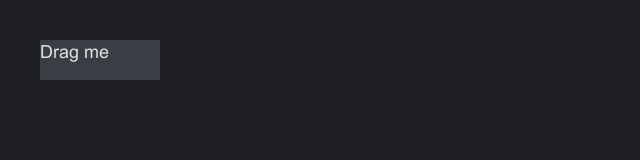
return factory -> {
    final AbsolutePanel board = factory.absolutePanel();
    board.setAnchor(Anchor.FILL);

    // Only containers have a background, so the handle is a panel with a label in it
    final AnchorPanel handle = factory.anchorPanel()
            .setBackground(Paint.solid(0xFF3A3D43))
            .add(factory.label("Drag me").setAnchor(Anchor.CENTER));
    handle.setMinSize(60, 20);
    final float[] position = {20f, 20f};
    board.add(handle, position[0], position[1]);

    // Drag events keep going to the component the press started on, wherever the pointer goes
    handle.onEvent(InputEvents.DRAG, event -> {
        position[0] += event.deltaX();
        position[1] += event.deltaY();
        board.move(handle, position[0], position[1]);
        event.consume();
    });
    return board;
};
If the pointer leaves the host during a drag, the press stays tracked, and the drag continues when the pointer comes back.
Drags that carry data
A DRAG_START handler can attach data to the drag with startTransfer. The components under the pointer then hear five more events, which carry a TransferEvent:
| Event | Bubbles | When |
|---|---|---|
DRAG_ENTER |
no | A drag with data moved onto the component |
DRAG_OVER |
yes | The drag moved over the component. A handler calls accept or reject. |
DRAG_EXIT |
no | The drag left the component, or ended |
DROP |
yes | The button came up over the component that accepted last |
TRANSFER_DONE |
no | The drag ended, on the component that started it. Its effect says what the target took. |
Drag and drop covers the data, the effects, the drag image and a complete example.
Hover
Only the deepest component under the pointer is hovered, for the mouse and a pen; a touch hovers nothing and fires none of these events (see Devices). Hit testing respects clipping, visibility and enabled state: the pointer cannot hit a hidden or disabled component, or the part of a child cut off by a clipping parent.
| Event | Bubbles | When |
|---|---|---|
POINTER_ENTER |
no | The component became the deepest one under the pointer |
POINTER_EXIT |
no | It stopped being the deepest one, or the pointer left the host |
POINTER_MOVE |
yes | The pointer moved over it. Fired after any enter or exit for the same movement. |
Enter and exit do not bubble, so moving from a panel onto a button inside it gives the panel an exit and the button an enter. When layout moves a component under a still pointer, the enter and exit fire on the next pointer input, not at the moment of the layout. A scroll that something consumed is the exception: the host lays out at once and works out hover again, since the content moved under the pointer.
Scrolling
SCROLL fires at the component under the pointer and bubbles, so an outer container receives scrolls its children do not consume.
| Value | Meaning |
|---|---|
scrollY() |
Positive when the wheel turns away from the user, which scrolls toward the top of the content |
scrollX() |
Positive toward the left, the start of a row |
kind() |
A ScrollKind: WHEEL for a notched wheel (1 per notch), PRECISE for trackpads and smooth wheels, which report fractions |
Amounts are in wheel notches. A component that scrolls by whole steps, such as a list moving by rows, can use kind() to tell a wheel's whole notches from a trackpad's fractions. Engines differ in how horizontal scrolling arrives; see Platform differences.
Keys and characters
KEY carries a physical key (key()), an action (PRESS, REPEAT or RELEASE) and the held modifiers. It fires at the focused component and bubbles. When nothing has focus, it fires at the content of the top dialog, or at the screen's content when no dialog is open. If nothing consumes it, the host goes on: it runs the first enabled command whose shortcut matches, acts on a mnemonic, opens a context menu for the Menu key, presses a default or cancel button for Enter or Escape, closes the top overlay that is not a toast for Escape, and moves focus for Tab. Input and focus gives the order.
CHAR carries a typed character as a code point, after the keyboard layout and any input method. It fires only at the focused component and is dropped when nothing has focus. It bubbles.
A key handler on the screen's content sees every key that nothing focused consumed, which makes it the place for screen-wide shortcuts:
// Key events go to the focused component first and bubble to the root,
// so a handler on the root sees every key nothing else consumed.
root.onEvent(InputEvents.KEY, event -> {
    if (event.is(Key.S, Modifiers.of(Modifier.CONTROL), ModifierPolicy.EXACT)) {
        save.run();
        event.consume();
    }
});
Input and focus covers keys, modifiers, shortcut matching and key repeat in detail.
Focus events
Focusable.FOCUS_LOST and Focusable.FOCUS_GAINED are direct, and fire only at components that are Focusable. When focus moves from one component to another, the old one gets FOCUS_LOST first, then the new one gets FOCUS_GAINED, and both fire after the focus has already changed. other() is the component on the other side of the move, or empty when focus came from or went to nothing. Canceling a focus event cannot keep focus where it was; it only skips the component's default behavior, such as a text box moving its caret to the end.
InputEvents.FOCUS_EXIT and InputEvents.FOCUS_ENTER are the same news for the containers around: they fire on any component, panels included, when focus leaves or enters its subtree, and other() is again the component on the other side. Moving from a section's first field to its second fires neither on the section, since focus stays inside it. A control that keeps focus on a part inside it, such as a table on its list, gets FOCUS_GAINED and FOCUS_LOST itself as well. Input and focus gives the order of all four and an example.
Attaching and detaching
Component.ATTACHED and Component.DETACHED fire when a component joins and leaves a tree that a host is showing. Their LifecycleEvent adds nothing to Event. They are direct: a handler on a panel does not hear its children, because every component of the subtree that joins or leaves hears its own.
for (final Component<?> component : components) {
    final String name = component.id().orElse("?");
    component.onEvent(Component.ATTACHED, event -> log.add("attached " + name));
    component.onEvent(Component.DETACHED, event -> log.add("detached " + name));
}
For a panel that holds a label, adding the panel to an attached container logs attached panel and then attached label, and removing it logs detached label and then detached panel.
- On attach, parents hear it before their children, and only after the subtree's bindings have set their properties, so a handler sees the bound values.
- On detach, children hear it before their parent, while the subtree is still attached and its bindings still follow their states. Then the tree is cleared of hover, focus and press state and detached.
- Each attach a component hears is followed by exactly one detach. A component that is kept and added again, such as the page a navigation view shows again, hears both again.
- They fire only for a component with a handler for them, build a new event each time and take no snapshots.
Every way a tree changes goes through the same two steps: adding to or removing from an attached container or composite, an expander showing and hiding its content, a navigation view swapping pages, an overlay opening and closing, and a screen opening, closing or being rebuilt (the screen's closed() runs before its tree detaches). A handler that throws does not stop the walk. Strata finishes it, keeps the tree consistent, and throws the first failure at the end with the later ones suppressed.
whileAttached starts something when the component attaches and stops it when it detaches, however often that happens. The supplier returns a Subscription, and it is called at once if the component is already attached. A label that follows a feed only while it shows:
final Label price = ui.label("-");
// Starts when the label joins a shown tree, stops when it leaves, and starts again if it comes back.
// The feed calls the listener on its own thread, so the label changes on the UI thread.
price.whileAttached(() -> feed.latest.subscribe(
        value -> ui.uiThread().execute(() -> price.setText("%.2f".formatted(value)))));
The feed here calls the listener on its own thread, so the label changes inside a task handed to the UI thread. A supplier that returns null throws NullPointerException. A component you write can override onAttached() and onDetached() instead; see Extending Strata.
Drawing and sizing
Drawing and sizing are events too, so you can change how any component looks without writing a new one.
| Type | Interface | When |
|---|---|---|
Component.PAINT |
PaintEvent.Pre |
Before the component draws its background. Canceling it skips the component's background, border and content; its children still draw. |
Component.PAINTED |
PaintEvent |
After the component and its children have drawn, so what a handler draws lands on top |
Component.MEASURED |
MeasureEvent |
After the component measured its content. setWidth and setHeight change the size it asks for. |
A paint event gives the painter() to draw with, valid only for this frame, and the component's bounds() in host coordinates:
// A dot over the button's corner while there is something new
inbox.onEvent(Component.PAINTED, event -> {
    if (unread[0]) {
        final Rect bounds = event.bounds();
        event.painter().fill(new Rect(bounds.right() - 6f, bounds.y() + 2f, 4f, 4f), 0xFFE8A33D);
    }
});
A measure event gives the space offered for the content in availableWidth() and availableHeight(), after the margin and capped by any fixed or maximum size, and possibly infinite. width() and height() start as the size the component asked for. A fixed size set on the component, and its minimum and maximum, still apply to what a handler sets, and negative values count as 0. context() measures text and children for the pass in progress. Do not change layout from a measure handler.
// Never narrower than 80 units, whatever the text
score.onEvent(Component.MEASURED, event -> event.setWidth(Math.max(80f, event.width())));
None of the three bubble, and none take snapshots. They reach only the component's own handlers. A component fires them only when it has a handler for them, and reuses one event object every frame, so a component you do not decorate pays nothing and one you do allocates nothing for the event. Keep paint handlers free of allocation where you can, as in a custom component's paint.
Your own events
A control you write declares its events the way the built-ins do, as constants made with EventType.request, EventType.valueRequest, EventType.report and EventType.valueReport, and fires them with CustomComponent's request and report methods. An event type compares by identity: each call to a factory makes a type equal only to itself, even when another has the same name and event class, so two libraries that both declare EventType.valueReport("changed") get two types and a handler for one never hears the other. The name is only for debugging. Keep each type in a constant, and register handlers and fire events with that constant. Extending Strata shows a complete example.
Input event types
| Type | Event interface | Bubbles | Fired at |
|---|---|---|---|
POINTER_ENTER |
PointerEvent |
no | The newly hovered component |
POINTER_EXIT |
PointerEvent |
no | The previously hovered component |
POINTER_MOVE |
PointerEvent |
yes | The hovered component |
POINTER_PRESS |
PointerButtonEvent |
yes | The component under the pointer |
POINTER_RELEASE |
PointerButtonEvent |
yes | The component the press started on |
CLICK |
PointerButtonEvent |
yes | The same, if still under the pointer and enabled, with no drag |
DRAG_START, DRAG, DRAG_END |
DragEvent |
yes | The component the press started on |
SCROLL |
ScrollEvent |
yes | The component under the pointer |
KEY |
KeyEvent |
yes | The focused component, or else the top dialog's content, or else the screen's content |
CHAR |
CharEvent |
yes | The focused component only |
DRAG_ENTER, DRAG_EXIT |
TransferEvent |
no | The component a drag with data moved onto or off |
DRAG_OVER |
TransferEvent |
yes | The component under a drag with data, until a handler accepts or rejects |
DROP |
TransferEvent |
yes | The component that accepted the drag last |
TRANSFER_DONE |
TransferEvent |
no | The component the drag started on |
FOCUS_GAINED, FOCUS_LOST |
FocusEvent |
no | The component gaining or losing focus |
FOCUS_ENTER, FOCUS_EXIT |
FocusEvent |
no | A component whose subtree focus entered or left, panels included |
MODIFIERS_CHANGED |
ModifiersEvent |
no | The screen's content and each open overlay's content |
The event type reference adds each type's default behavior in the built-in controls, and lists every control event type with its value. Each control's events are also described with the control in Controls.